
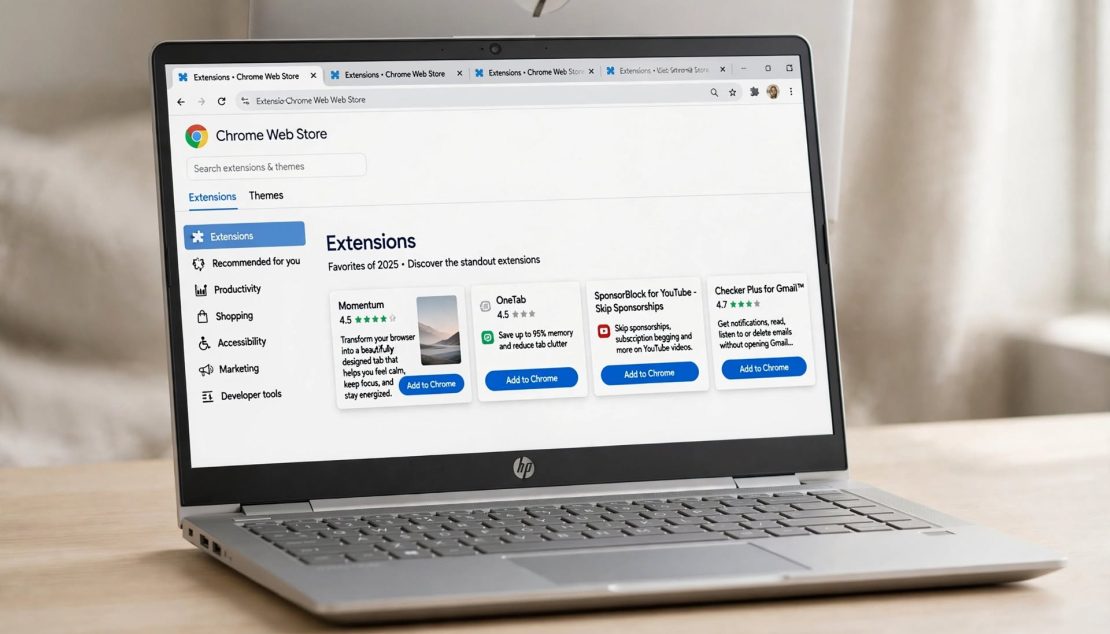

Research and content work still collapse under same frictions: dozens of open tabs, scattered notes, slow source capture, rewriting same sentences, and constant context-switching.
- Research and content work still collapse under same frictions: dozens of open tabs, scattered notes, slow source capture, rewriting same...
- However, there are right browser extensions to cut those loops without turning Chrome into sluggish mess.
- Its core features are free and you can turn passive reading into reusable research assets.
- What you need is QuillBot or Wordtune.
Keep reading for the full breakdown on best Chrome extensions 2026 — everything you need to know is covered below.
However, there are right browser extensions to cut those loops without turning Chrome into sluggish mess.
This guide focuses on must-have extensions that deliver measurable speed gains for researchers, writers, content creators, students, and knowledge workers. List prioritizes tools that stay lightweight, offer usable free tiers, and fit cleanly into research → capture → organize → write workflow. Most work best in Chrome and Edge; Firefox support is noted where it matters.
How I Chose These Extensions
Selection criteria were practical:
- Clear time savings in daily research or content loops.
- Lightweight enough not to slow browser noticeably.
- Useful free tier or fully free.
- Reasonable permissions and active maintenance in 2026.
- Complementary roles rather than overlapping features
I avoided heavy all-in-one suites that demand constant attention and pure trial-bait tools. Testing centered on real workflows: finding sources, capturing highlights or citations, synthesizing notes, drafting, and light SEO checks. Always review permissions and privacy policies, especially on work or client accounts.
Quick Comparison: Best Picks by Workflow Stage
| Extension | Best for | Free tier reality | Time-saving impact | Primary browsers |
|---|---|---|---|---|
| Perplexity AI Companion | On-page research & cited answers | Generous free use | High | Chrome, Edge |
| Glasp | Highlighting + knowledge building | Fully free core | High | Chrome, Edge, Firefox |
| Zotero Connector | Citations & academic sources | Fully free | Very high (academic) | Chrome, Edge, Firefox |
| Unpaywall | Legal open-access PDFs | Fully free | High (researchers) | Chrome, Edge, Firefox |
| Grammarly | Writing polish everywhere | Strong free tier | High | Chrome, Edge, Firefox |
| Notion Web Clipper | Source capture into workspace | Fully free with Notion | Medium–high | Chrome, Edge |
| OneTab / Tab managers | Tab & session cleanup | Fully free options | High | Chrome, Edge |
| Keywords Everywhere / Surfer | SEO keyword data in search | Limited free / freemium | Medium (content) | Chrome |
Category winners
- Best overall research companion: Perplexity AI Companion.
- Best for capturing & organizing: Glasp or Notion Web Clipper.
- Best for writing & editing: Grammarly.
- Best for tab chaos: OneTab or modern session managers.
- Best AI summarization / Q&A: Perplexity or Glasp.
- Best academic / citation: Zotero Connector + Unpaywall
AI Research and On-Page Assistance
Perplexity AI Companion
Adds sidebar that answers questions about current page or broader web with clickable source citations. Summarizes articles, PDFs, and pages while keeping you on original content.
Free tier is usable for daily research. It eliminates copy-paste-search loop that eats time when verifying claims or expanding on topic.
Best for: Anyone who needs sourced answers without leaving page.
Tip: Highlight dense paragraph, open companion, and ask for plain-language breakdown plus related sources.
Glasp
This is a social-style highlighter extension that saves passages, generates AI summaries, and builds personal knowledge library across web pages and YouTube. Highlights sync and can feed later writing or review. Its core features are free and you can turn passive reading into reusable research assets.
Best for: Long-form research and content creators who revisit sources.
Limitation: Some advanced AI and organization features sit behind premium.
Other solid options in this category include multi-model sidebars such as Sider or Monica for broader chat + summarization, though they can feel heavier.
Source Capture, Highlighting & Knowledge Building
Notion Web Clipper
This is the extension with the magic of one-click save of full pages, selected text, or simplified articles straight into Notion databases or pages. The tags and properties keep research organized by project. It is free with Notion account and ideal when your notes already live in Notion.
Alternative: Raindrop.io or similar bookmark managers for lighter, visual collections.
Readwise Highlighter / similar tools
This helps to capture highlights from articles and web pages with later spaced-repetition review. It is useful for building long-term knowledge rather than one-off projects.
Citation & Academic Research
Zotero Connector
Looking for that tool that can detects papers, books, and web sources on page and saves full bibliographic metadata (plus PDFs when available) to your Zotero library with one click? is your answer, it works across Google Scholar, PubMed, publisher sites, and more.
It is completely free and standard for academic and professional citation work. You can pair it with desktop app for generating bibliographies in any style.
Unpaywall
This extension helps you to automatically finds legal open-access versions of paywalled papers and adds green unlock button when one exists. It is free and essential for researchers who hit walls daily.
Google Scholar Button
Google Scholar Button is a toolbar search that lets you query Scholar from any page by highlighting text or typing query. It is a fast way to check related work without opening new tab first.
Writing, Editing & Clarity
Grammarly
Grammarly is that tool for real-time grammar, clarity, tone, and style suggestions inside almost every text field like Google Docs, Notion, WordPress, Gmail, social platforms, and more. Free tier covers core corrections and basic AI help; Premium adds deeper rewrites and tone control.
It is the most widely useful writing extension for most people. It catches issues that survive multiple self-edits.
LanguageTool
This tool is especially useful for multilingual writing with generous free checks and solid accuracy.
QuillBot or Wordtune
Want a tool for Inline paraphrasing and sentence-level rewriting when draft feels stiff or repetitive? What you need is QuillBot or Wordtune. Free tiers have daily limits that suit occasional use.
Tab and Session Management
OneTab
OneTab helps to converts all open tabs into single clean list with one click, recovering significant memory and you can restore individually or as group, or export list.
It is completely free and still one of simplest ways to escape tab overload during deep research sessions.
Modern alternatives such as Workona (workspaces) or TabGroup Vault (reliable Chrome tab-group snapshots) add structure if you regularly work across multiple projects. Use one primary tab tool rather than several.
SEO & Content Research Helpers
Keywords Everywhere or Keyword Surfer
This tool displays search volume, related keywords, and competition data directly in Google results or on page. It is useful for content planning and validating topics without leaving SERP. Free tiers are limited; paid unlocks fuller data.
Ahrefs SEO Toolbar or similar free/lightweight bars
This is an SEO too for quick on-page checks, domain metrics, and SERP context while browsing competitor or target pages. It is valuable for content creators who need fast structural insights.
Recommended Extension Stacks
For academic / deep research stack, use:
Zotero Connector + Unpaywall + Google Scholar Button + Perplexity/Glasp + Grammarly.
For content creation / SEO, use:
Grammarly + Keywords Everywhere/Surfer + Notion Web Clipper or Glasp + OneTab + light SEO toolbar.
Lightweight “hate bloat” stack:
OneTab + Grammarly free + Unpaywall (if academic) or Perplexity. Add nothing else until clear remaining bottleneck appears.
Install two or three first. Use them on normal research or writing day. Add more only when specific friction remains.
How to Choose & Install Without Slowing Your Browser
Match extension to your primary slowdown:
- Too many tabs / memory issues → OneTab or session manager first.
- Slow source synthesis or fact-checking → Perplexity or Glasp.
- Citation and paper access pain → Zotero + Unpaywall.
- Writing friction → Grammarly or LanguageTool.
- Scattered research notes → Notion Web Clipper or Glasp.
- SEO topic validation → Keywords Everywhere or Surfer
Performance & privacy tips
- Review permissions before installing; prefer tools that request only what they need.
- Disable or remove extensions you rarely use.
- Chrome and Edge share most extensions; Firefox often has native or open-source equivalents (Zotero, LanguageTool, Unpaywall work well).
- est new extensions one at a time so you can notice any slowdown immediately.
Realistic Expectations & Common Pitfalls
- Free tiers have limits – message caps, daily AI credits, or restricted keyword data. Heavy daily users eventually hit them.
- Over-installing creates more friction than it removes. Five well-chosen tools outperform fifteen half-used ones.
- AI summarization and answers still require verification. Citations and original sources remain essential for serious work.
- Some extensions request broad site access. For client or confidential research, prefer tools with clear data policies or local processing where possible.
Frequently Asked Questions
What are best browser extensions for research in 2026?
Perplexity AI Companion for cited on-page answers, Glasp for highlighting and knowledge capture, Zotero Connector for citations, and Unpaywall for open-access papers form strong core.
Best free Chrome extensions for writers and content creators?
Grammarly (free tier), Notion Web Clipper or Glasp, OneTab, and lightweight keyword tool such as Keyword Surfer.
Which AI Chrome extensions actually help with research?
Perplexity stands out for source-cited answers. Glasp and multi-model sidebars (Sider, Monica) are also useful for summarization and Q&A without leaving page.
How do I manage too many research tabs?
OneTab collapses them instantly into list. For project-based work, use Chrome tab groups plus snapshot tool such as TabGroup Vault or Workona.
Best extensions for citations and academic work?
Zotero Connector is standard. Pair it with Unpaywall and Google Scholar Button.
Do these slow down my browser?
Small set of well-maintained extensions usually has minimal impact. Heavy AI sidebars or many simultaneous tools can add lag – test and prune.
Chrome vs Firefox for research and content work?
Chrome/Edge have widest selection. Firefox supports key tools (Zotero, Unpaywall, Grammarly, LanguageTool) and often prioritizes privacy.
Leave a Reply